
SeedExtractor
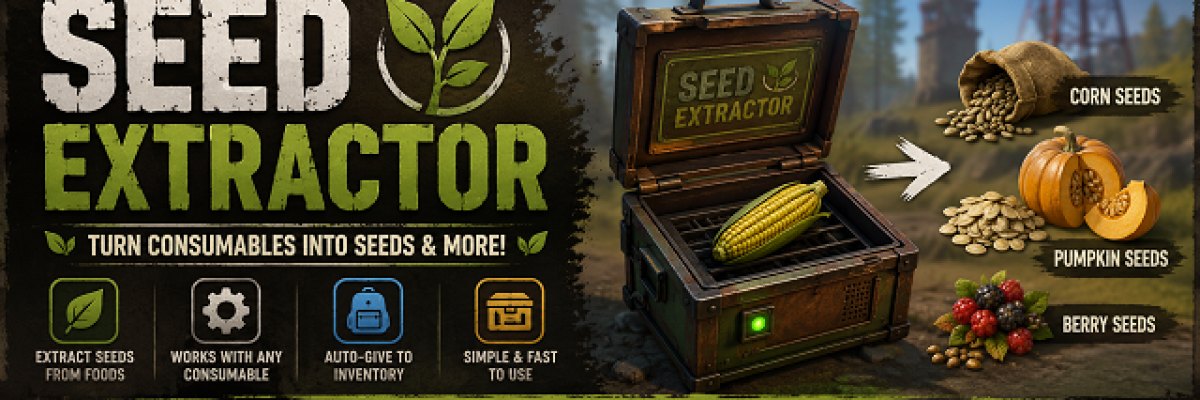
Gets the item/seed from another item.
# SeedExtractor
Extract seeds and other consumable outputs without eating the item.
SeedExtractor provides a simple interface that lets players place a consumable item into an extraction box. The plugin reads the item's built-in Rust consume data and produces its normal output, making it perfect for collecting seeds, clones, and any future consumable outputs.
---
Features
- 🌱 Extract seeds from consumable food items.
- 🍓 Supports berries, pumpkins, corn, potatoes, and more.
- ⚙ Automatically works with any item that has a vanilla consume output.
- 🎲 Uses Rust's built-in output chances and quantities.
- 📦 Gives extracted items directly to the player's inventory.
- 🪂 Optional inventory overflow handling by dropping items on the ground.
- 🖥 Clean one-slot extraction interface.
- 🔒 Permission-based access.
- 🛠 No Harmony patches required.
Chat Commands
| Command | Description |
|---------|-------------|
| /seedextract | Opens the Seed Extractor window. |
---
Permissions
| Permission | Description |
|------------|-------------|
| SeedExtractor.Use | Allows players to use the Seed Extractor. |
---
How It Works
1. Type:
/seedextract2. A one-slot extraction window opens.
3. Place a consumable item into the slot.
4. The plugin reads the item's built-in Rust consume products.
5. Any resulting items are created using Rust's normal output chances.
6. The extracted items are placed into your inventory (or dropped if your inventory is full, depending on the configuration).
7. The original item is consumed (configurable).
---
Supported Items
SeedExtractor automatically supports any consumable item that produces products when consumed, including:
- 🌽 Corn
- 🎃 Pumpkin
- 🥔 Potato
- 🫐 Berries
- 🍄 Future vanilla consumables
- 🧩 Modded consumables that use Rust's
ItemModConsume.productsystem
---
Configuration
{
  "Consume Input Item": true,
  "Give Output To Inventory": true,
  "Drop Output If Inventory Full": true,
  "Close After Extraction": true,
  "Window Title": "Seed Extractor"
}
Configuration Options
| Setting | Description |
|---------|-------------|
| Consume Input Item | Removes the original item after extraction. |
| Give Output To Inventory | Places extracted items into the player's inventory. |
| Drop Output If Inventory Full | Drops extracted items if inventory space is unavailable. |
| Close After Extraction | Automatically closes the extractor after processing an item. |
| Window Title | Custom title displayed on the extraction window. |
---
Notes
- Only consumable items with built-in Rust output products can be processed.
- Items without consumable outputs cannot be extracted.
- The plugin automatically supports new vanilla consumables added by Facepunch that use the standard consume product system.
- No item list maintenance is required.
Installation
1. Copy SeedExtractor.cs into your server's oxide/plugins folder.
2. Reload the plugin:
oxide.reload SeedExtractor---
Support
If you encounter any issues or have feature suggestions, please leave a discussion on the plugin page.