
MyPattern
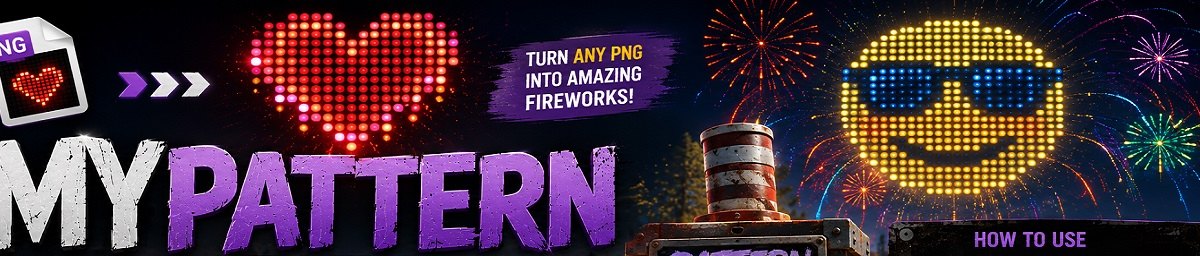
Create custom firework patterns.
# MyPattern
Convert PNG images into stunning Boomer Firework patterns.
Showcase
Image Conversion Demo
▶ Watch on YouTube
Pattern Firework Showcase
▶ Watch on YouTube
--
MyPattern transforms any PNG image into a colorful Pattern Boomer Firework design with a single chat command. Simply place a Pattern Boomer, provide the URL to a PNG image, and the plugin automatically converts it into an optimized firework pattern using intelligently placed colored dots.
The conversion process resizes the image, removes unnecessary pixels, optionally limits colors to Rust's vanilla palette, and creates the most efficient pattern possible. :contentReference[oaicite:0]{index=0}
---
Features
- 🎆 Convert PNG images directly into Boomer Firework patterns.
- 🌐 Downloads images from any valid PNG URL.
- 🎨 Supports full-color or vanilla 8-color palette conversion.
- ✂️ Automatically crops empty black borders.
- 📐 Resizes images to fit the configured pattern resolution.
- ⚡ Optimizes dot placement to reduce unnecessary fireworks.
- 🔍 Adjustable scaling for larger or smaller designs.
- 🛡 File size protection to prevent excessive downloads.
How It Works
1. Place a Pattern Boomer Firework.
2. Look directly at the firework.
3. Run:
/mypattern https://example.com/image.png4. The plugin downloads the image.
5. It converts the PNG into an optimized dot pattern.
6. Your Pattern Boomer is immediately updated with the new design.
Optionally specify a scale:
/mypattern https://example.com/image.png 2Higher values increase spacing between dots.
---
# Permission
| Permission | Description |
|------------|-------------|
| MyPattern.use | Required to use the /mypattern command. |
The plugin registers this permission during initialization. :contentReference[oaicite:1]{index=1}
---
# Chat Command
| Command | Description |
|---------|-------------|
| /mypattern <png_url> | Converts a PNG image into a firework pattern. |
| /mypattern <png_url> <scale> | Converts the image using a custom dot scale. |
Only valid PNG URLs are accepted. Invalid URLs or unsupported image formats are rejected automatically. :contentReference[oaicite:2]{index=2}
---
# Configuration
Everything about the conversion process can be customized through the configuration file.
| Option | Description |
|--------|-------------|
| Limit Max Amount Of Dots | Maximum number of firework stars allowed. |
| Flip Image | Flips the generated pattern orientation. |
| Resolution Of Boomer Pattern | Controls image resolution before conversion. Higher values create more detail but also more dots. |
| Default Dot Scale | Default spacing between generated dots. |
| Resizer Interpolation Mode | Image scaling quality algorithm. |
| Limit Color Palette To Vanilla | Restricts output to Rust's eight default firework colors. |
| Crop Black Edges | Removes empty black borders to save pattern space. |
| Max File Size | Prevents downloading excessively large images. |
These options are available in the plugin configuration. :contentReference[oaicite:3]{index=3}
---
# Smart Image Optimization
MyPattern automatically performs several optimizations before creating the firework:
- Resizes images to the configured resolution.
- Removes unnecessary transparent pixels.
- Ignores black pixels that cannot be represented.
- Optionally crops empty borders.
- Converts colors to the nearest vanilla firework color.
- Skips invisible pixels entirely.
---
# Perfect For
- 🎨 Pixel art
- 😀 Emoji fireworks
- ❤️ Hearts and symbols
- 🏴 Server logos
- 🛡 Clan emblems
- 🎉 Events
- 📺 Streamer celebrations
- 🏆 Competitions
# Support
If you require support, please use the Customer Support channel on the lone.design Discord.
Using website discussions or reviews may go unnoticed because vendors are not notified while posts are awaiting moderation.
---
Notes
- Only PNG images are supported.
- You must be looking directly at a Pattern Boomer Firework.
- Large or high-resolution images are automatically resized.
- The generated design is optimized to use as few dots as possible while preserving image quality.